
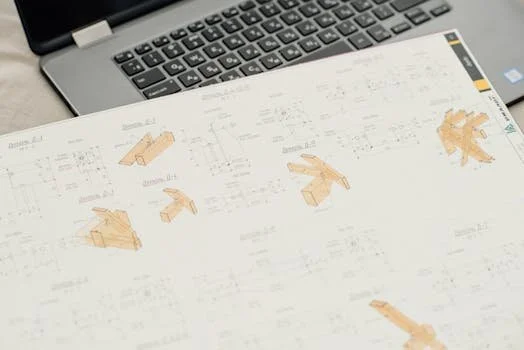
1:1 Workshop for Engineers
If your manuals are unclear, you might have an image problem.
Learn a proven method to create clean, professional technical visuals using tools you already own -
SolidWorks & PowerPoint.
No new software. No IT approval needed.
Or email jerin@jrp.si
SolidWorks users
Engineers
Technical writers
2 × 2h Sessions
The difference is visible.
Most engineering manuals are packed with text when
a clear image would do the job in seconds.
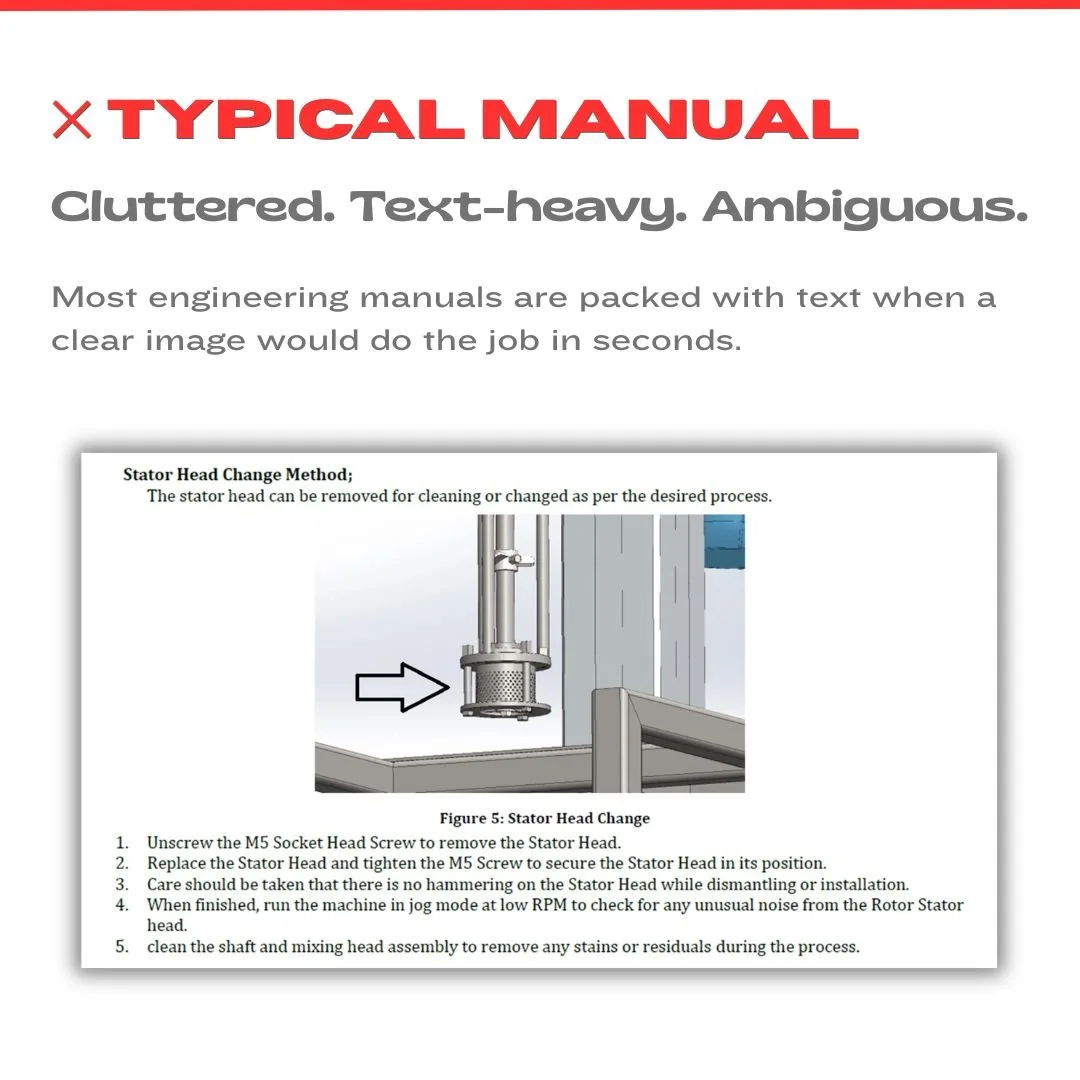
ZERO FRICTION
No new software.
Just a better method.
You already have everything you need. This workshop teaches you how to unlock what SolidWorks and PowerPoint can actually do — without a new license, without IT, without a learning curve that goes on forever.
Or email jerin@jrp.si
SolidWorks
Settings & export workflow for clean, professional visuals.
PowerPoint
Arrows, highlights, layouts — fully mastered for technical documentation.
That’s it.
Nothing else!
After the workshop - you'll be able to:
Create clean, self-explanatory visuals
Every image tells the full story. No captions, no calls to support.
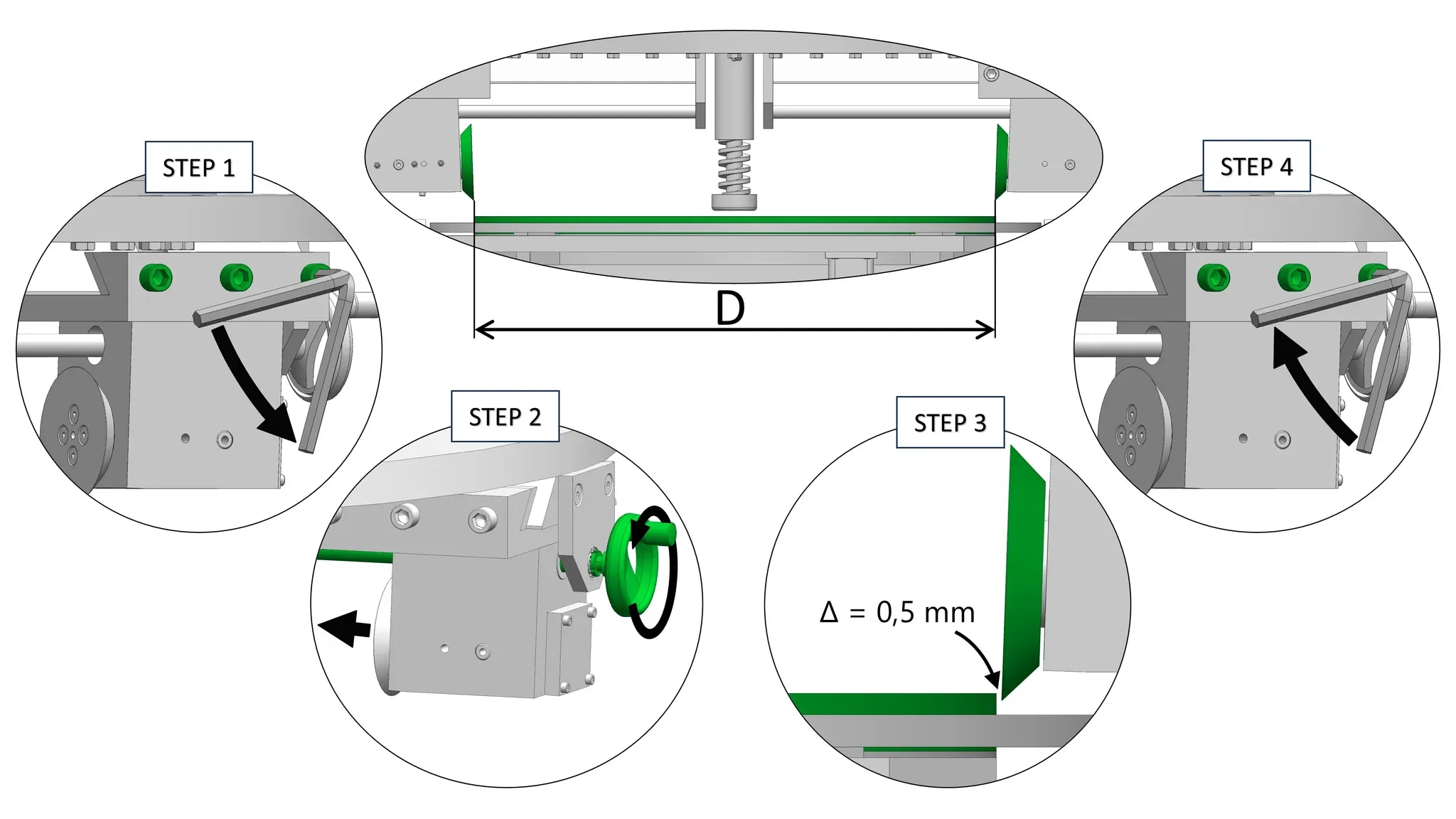
4 steps. One glance. No mistakes.
Replace paragraphs with task-focused visuals that are faster to read and harder to misinterpret.
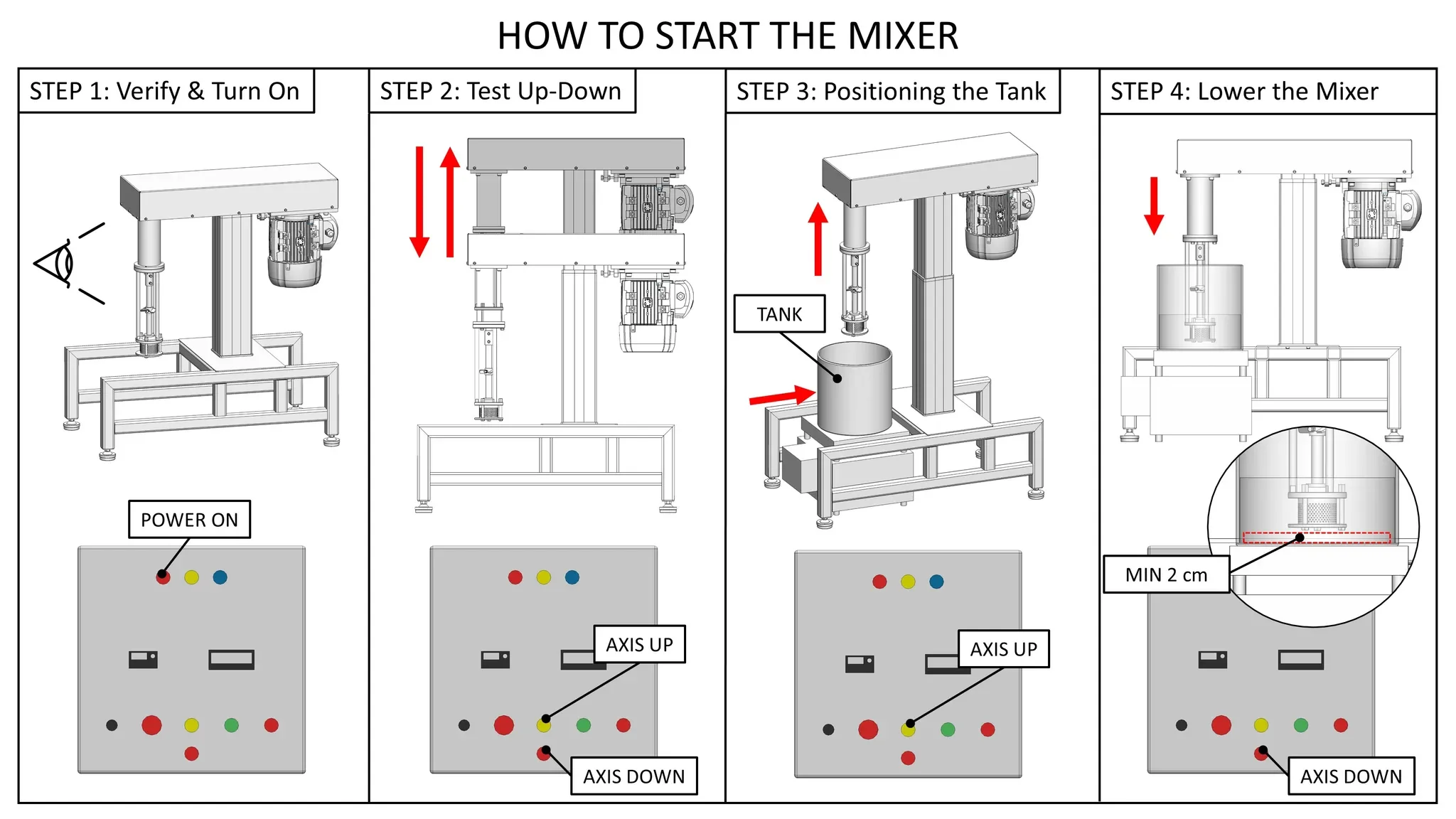
No more "which part is this?"
Spare parts anyone can identify instantly, without a phone call.
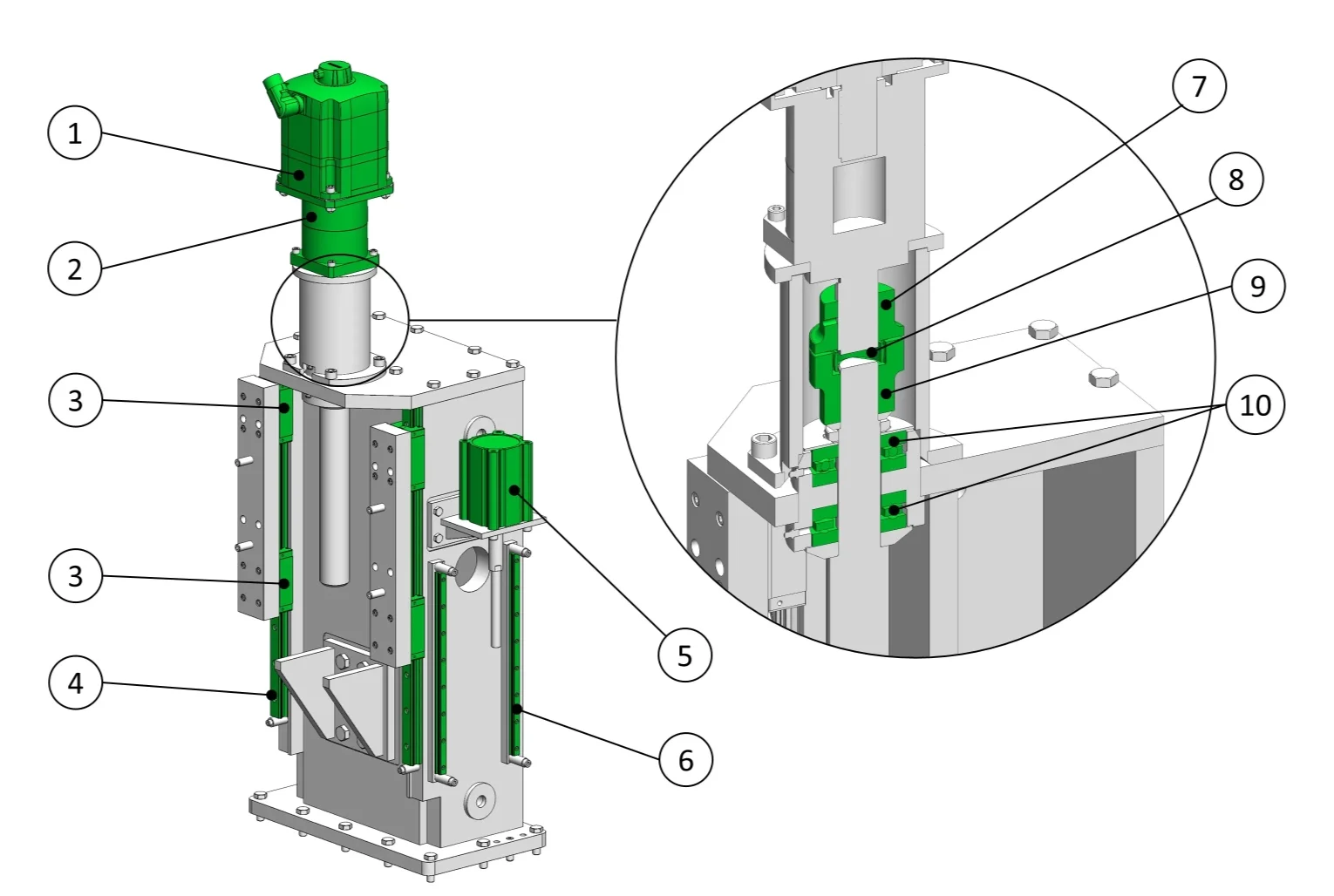
Make your work look professional
The portfolio that opens doors. Show your engineering thinking visually - in print, in meetings, in interviews.
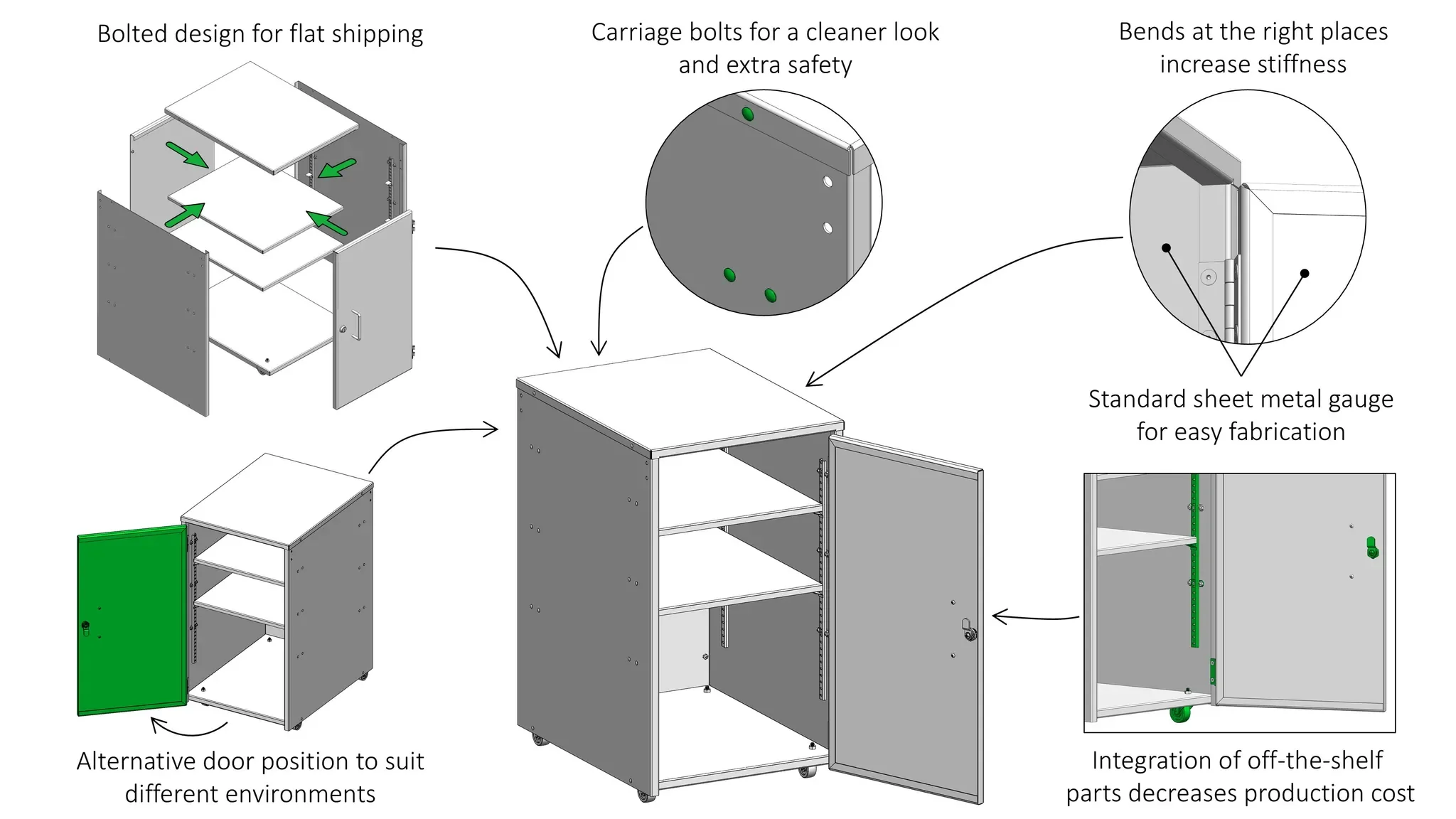

What you get?
Two focused sessions. Built around your work.
Session 1
Learn the Core Method
2 hours · Remote · On your schedule
Core method (step-by-step)
SolidWorks settings for clean visuals
PowerPoint workflow (arrows, highlights, layouts)
Simple tricks that can save you a lot of time
After this session, you have the time to try the method and see how it works for your case.
Once you have tested it, you’re ready for Session 2.
Session 2
Learn the Core Method
2 hours · Remote · Within 30 days
Review your workflow
We fix your images together
Advanced tricks that will work for your type of manuals
IMPORTANT: Session 2 should be scheduled within 30 days.
Email support between Sessions:
No, you don’t need to wait for the next session to ask questions → Email me, and I will respond as quickly as I can.

“I recently attended a workshop focused on creating detailed images for user manuals using SolidWorks and PowerPoint, and I found it extremely valuable. The tips provided were spot-on — practical, clear, and immediately applicable to everyday tasks.”
Georgios Vythoulkas
Sales Engineer @ Microsol · M.Eng Mechanical Engineering · MBA
Your investment
One price. Both sessions.
4 hours of focused, personalized training. Applicable from day one.
One-time payment · VAT included
737€
537€
Special pilot pricing for the first participants.
Session 1 — 2h core method workshop.
Session 2 — 2h personalized review.
Email support between sessions.
Fully customized to your workflow.
VAT inclusive.
Official VAT invoice available.
Want to skip the call? ⬇️
Book your first session (2h) via email: jerin@jrp.si
Where you'll use it - more than just manuals:
📖 Product & machine manuals
Every device, equipment, or custom machine deserves documentation that doesn't confuse the technician on the floor.
🗂️ Your personal engineering portfolio
Print it in hardcover. Bring it to your next job interview. Show your thinking visually — it lands differently than a CV.
📈 Company portfolio & sales materials
Professional visuals in proposals and presentations close deals. They show competence before a word is spoken.
🤝Internal meetings & design reviews
Communicate complex ideas clearly. No more talking past each other around a dense CAD screenshot.
🔄 CAD-agnostic skill
Even if you switch CAD software down the line, your PowerPoint method stays. It's a skill you own forever.
Makes sense?
Meet Barbara Jerin, your instructor:
2006: Became a SolidWorks User
2014: Started a small engineering company doing engineering design for various industries.
2020: Focused on designing machinery for harsh production environments with high staff turnover.
2023: Started using and refining the JRP Visuals method on actual user manuals.
2025: Turned 10+ years of engineering experience into the JRP Visuals method — now taught to engineers.

Not ready to commit?
Start with the free mini course
Get a feel for the method before investing. Sign up to be notified when it's released, or follow along on LinkedIn in the meantime.
Common questions
-
No — it's a different approach entirely. SolidWorks Composer is a dedicated technical illustration tool that requires its own license and learning curve. This method works inside tools you already use, so there's zero ramp-up time and no additional cost.
-
Yes. An official VAT invoice with your company's details can be provided. Just mention it when booking or emailing.
-
No.
This is a hands-on session tailored to your work, so there’s nothing generic to “return”.
The free discovery call exists precisely to make sure this is the right fit before you commit. Reach out directly at jerin@jrp.si if you have concerns — it'll be sorted out.
-
Send an email to jerin@jrp.si and a slot that fits your schedule will be found. It's not a rigid system.